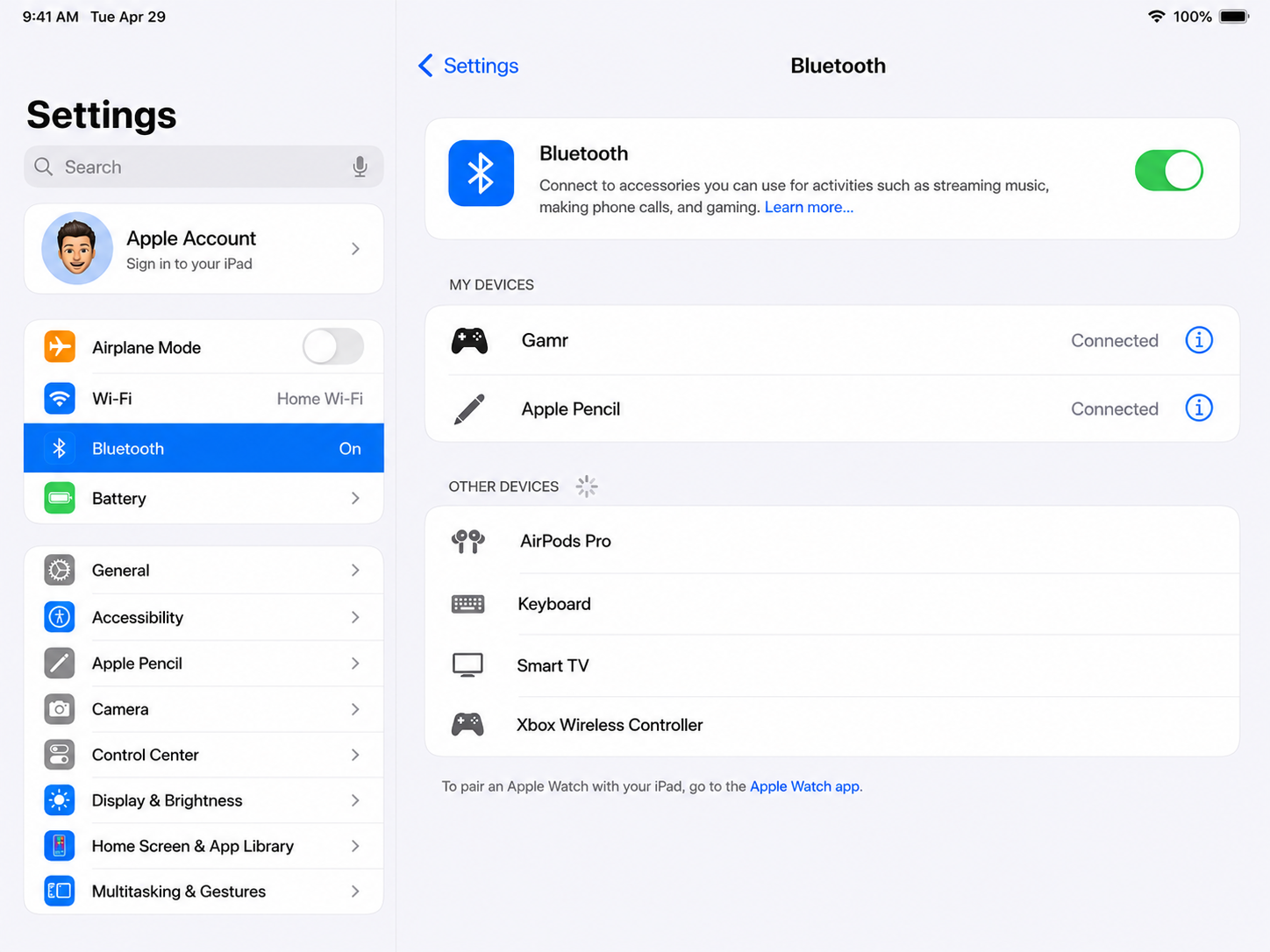
Step 1: Open Bluetooth Settings
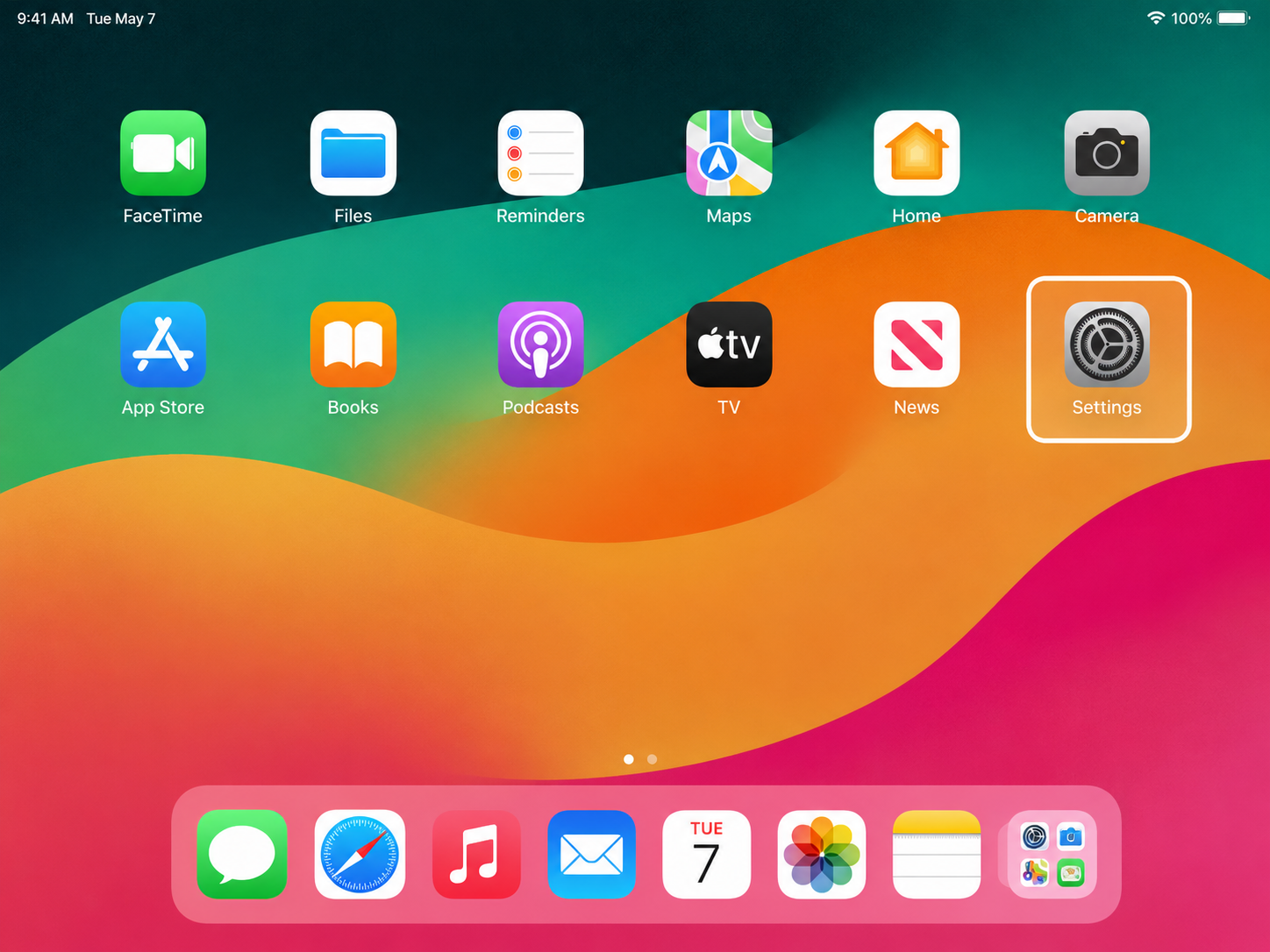
Open Settings
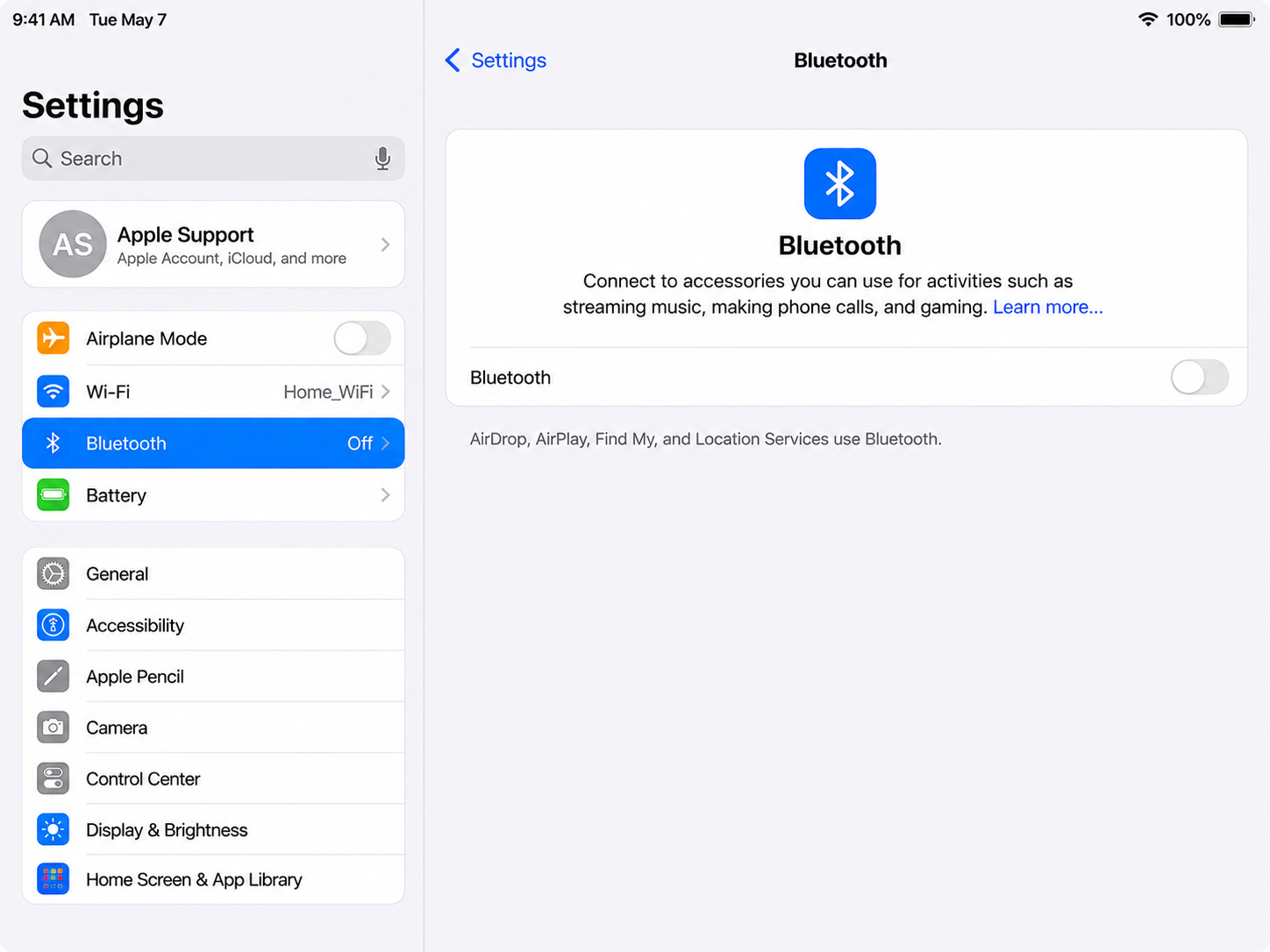
Tap Bluetooth
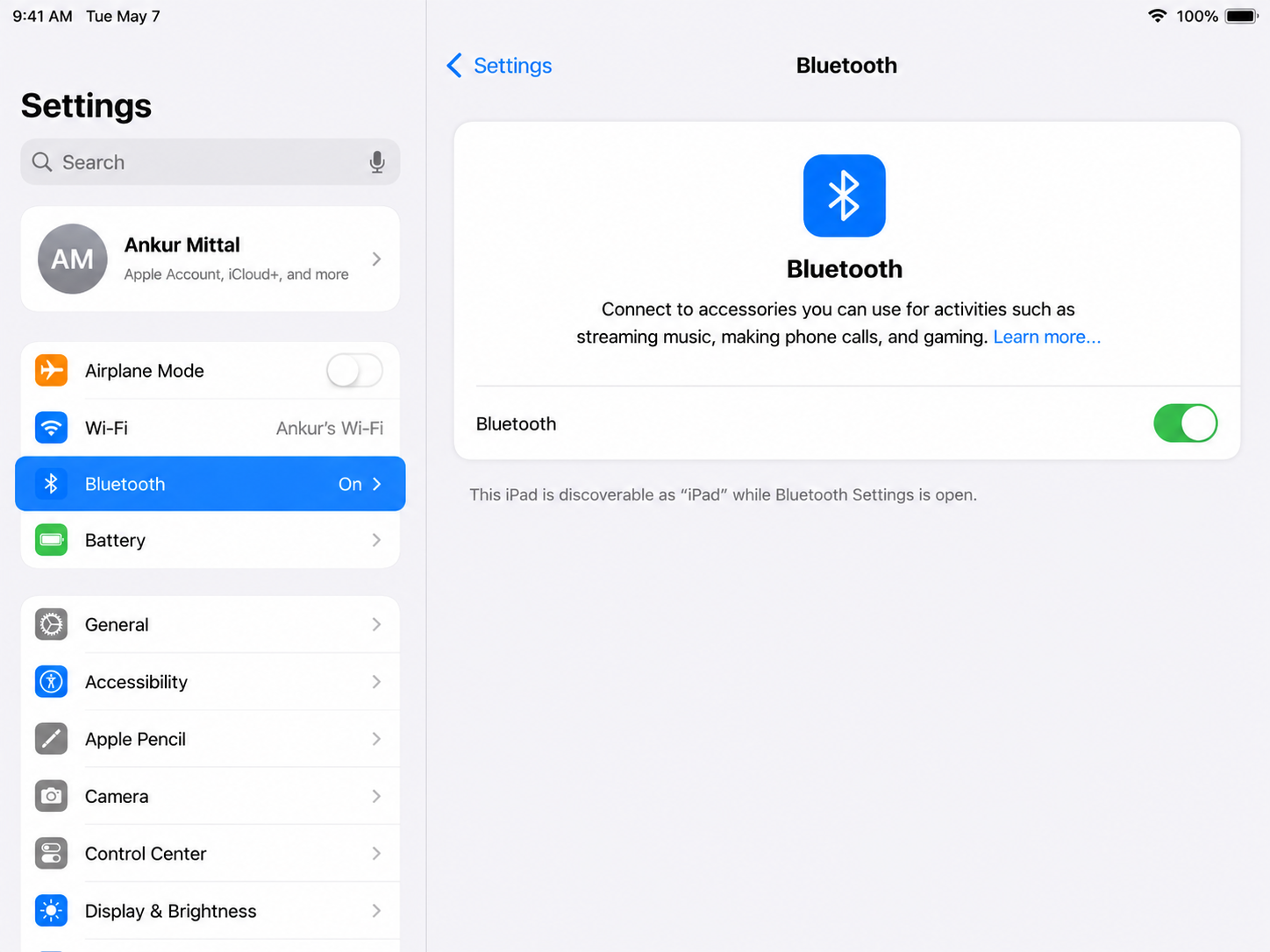
Toggle Bluetooth On
Step 2: Pair the GAMR Pad
Confirm the "G" logo is blinking.
Select GAMR
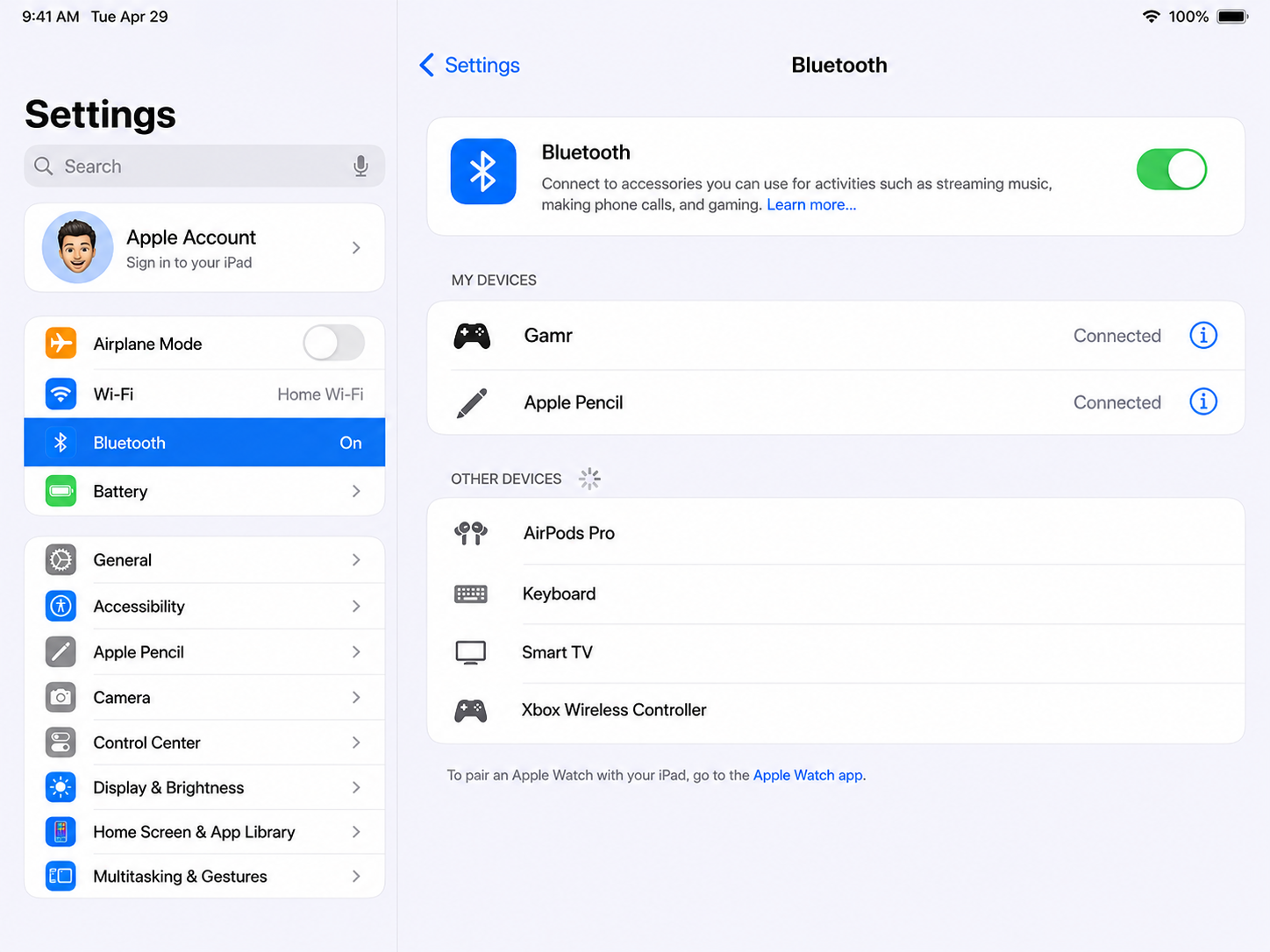
Tap P
Step 3: Start Gaming
Open Apple Arcade or any supported game.
Start playing.
Was this article helpful?
That’s Great!
Thank you for your feedback
Sorry! We couldn't be helpful
Thank you for your feedback
Feedback sent
We appreciate your effort and will try to fix the article